Your point-of-sale system is the nervous system of the restaurant. It rings sales, fires tickets to the kitchen, tracks labor, reports your numbers, and increasingly runs online ordering and payments. Picking well saves you money every single month, and picking badly can lock you into a multi-year contract you regret by month three. This guide compares the leading restaurant POS systems by how they actually fit different concepts, with real pricing and the traps to watch.
How POS pricing really works
Almost every quote has three separate lines, and operators who only compare the first one get surprised later:
- Software subscription, roughly $0 to $400 per terminal per month depending on plan and features
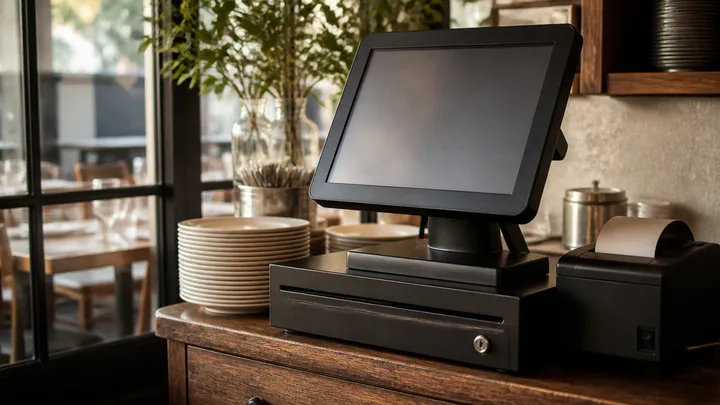
- Hardware, roughly $500 to $1,500 per station for a terminal, cash drawer, receipt printer, and card reader
- Payment processing, usually 2.4 to 3.1 percent of card volume, which is almost always your largest POS-related cost
For a single full-service location, plan for something in the range of a few hundred to well over a thousand dollars a month once processing is included. Because processing dwarfs the software fee at volume, the effective rate on card sales matters far more than whether software is advertised as free. Independent breakdowns like this 2026 POS comparison walk through the all-in math by concept.
The major platforms and who they fit
Toast
Toast is built specifically for restaurants and runs on Android hardware engineered for a kitchen environment, including a reliable offline mode. Its strengths are full-service depth: tableside ordering, course management, a native kitchen display system, multi-location reporting, and a broad delivery and online-ordering ecosystem. Per Toast's official pricing page, plans start at $0 per month for a basic point-of-sale tier, with paid tiers and bundles above that, and you must use Toast payment processing. The tradeoff is a typical multi-year contract. Toast fits full-service and multi-location operators who want restaurant-specific depth and will use the ecosystem.
Square for Restaurants
Square is the fastest to set up, contract-free, and cheapest to start. Its restaurant product offers a free plan plus paid tiers, includes online ordering, and runs on affordable hardware. Square shines for takeout, cafes, food trucks, bars, and quick-service or fast-casual concepts, especially under roughly $1.5 million in revenue. Above about $250,000 in annual processing you can ask about custom rates. The tradeoff is that very high-complexity full-service coursing and inventory can outgrow it. If you want zero monthly software fees to launch and no contract, Square is usually the value pick.
Lightspeed Restaurant
Lightspeed targets the upper end of the market: upscale and fine dining, boutique hotel restaurants, and multi-concept groups. Its differentiators are detailed wine and inventory management, complex coursing, and multi-language support, which matter for high-check, high-complexity operations. Expect a paid subscription and, typically, a contract. Lightspeed fits operators whose menu and inventory complexity justify the depth.
Clover
Clover is known for attractive hardware, a strong customer-facing display, and an app marketplace for customization. It is a solid choice for quick-service and counter-service concepts that value the guest-facing experience. Pricing and contract terms vary by reseller, which is both its flexibility and its catch: read the reseller agreement carefully, because processing rates and lock-in are not uniform.
A quick fit guide by concept
| Concept | Strong fit | Why |
|---|---|---|
| Full-service, tableside | Toast, Lightspeed | Coursing, KDS, floor management |
| Cafe, food truck, takeout | Square | No contract, low start cost, fast setup |
| Fine dining, wine program | Lightspeed | Deep inventory and coursing |
| Quick-service counter | Clover, Square | Guest display, simple menus |
| Bar and brewery | Square, Toast | Tab handling, fast reorders |
Treat this as a starting point, not a verdict. The right answer depends on your check average, your volume, and which features you will actually use.
The contract trap
This is where new operators lose the most money. Toast, Lightspeed, and several other restaurant-specific platforms typically lock you into two- or three-year agreements with early-termination fees, and they usually require their own payment processing. Square has no contract. Clover varies by reseller. Before you sign:
- Get the effective processing rate in writing, not just the software price
- Ask about the early-termination fee and the contract length
- Confirm whether hardware is purchased, financed, or leased
- Check what happens to your data and menu if you leave
- Verify offline mode actually works, because internet outages happen mid-service
Features that matter more than the demo suggests
- Offline mode. If the network drops, can you still take payments and fire tickets? For a busy line this is not optional.
- Kitchen display or printer integration. Tickets must reach the line accurately and fast.
- Reporting. Daily sales, labor percentage, and item-level performance should be one click away, because these numbers drive your survival.
- Online ordering and delivery integrations. Native handling beats juggling separate tablets.
- Payroll and labor tools. Some platforms bundle these, which can consolidate vendors.
Hidden costs beyond the processing rate
The three headline lines, software, hardware, and processing, are only the start. Several recurring costs hide in the fine print and can change which platform is actually cheapest:
- Per-terminal fees. Software is often priced per station, so a four-terminal full-service room costs far more than a one-terminal cafe.
- Add-on modules. Online ordering, loyalty, gift cards, payroll, and advanced reporting are frequently separate paid tiers.
- Kitchen display systems. A KDS often carries its own hardware and subscription cost.
- Payment hardware. Extra card readers and handheld devices add up across stations.
- Integration and support fees. Some platforms charge for third-party integrations or premium support.
- Early-termination fees. Leaving a contract early can cost the remaining balance.
Model your real configuration, not the demo. Count your actual terminal count, the modules you will use, and your projected card volume at the quoted rate.
Questions to ask every vendor before you sign
Bring the same list to every demo so you compare like for like:
- What is my effective, all-in processing rate at my projected volume?
- Is the software priced per terminal or per location?
- What is the contract length and the early-termination fee?
- Is the hardware purchased, financed, or leased, and who owns it?
- Does offline mode take payments and fire tickets during an outage?
- Which features are included versus paid add-ons?
- Can I export my menu and sales data if I leave?
- What is the true cost of the kitchen display and any handhelds?
The vendor who answers these plainly, in writing, is usually the one worth trusting with the nervous system of your restaurant.
How POS fits the rest of your build
Your POS is one node in a larger equipment and technology plan. It connects to your kitchen display, your receipt hardware, and your network, all of which appear on the broader restaurant equipment list and the commercial kitchen equipment checklist. Budget the POS as an ongoing operating cost, not a one-time purchase, because processing fees recur on every sale forever.
Make the decision in the right order
Do not start with the flashiest demo. Start with your concept, your projected volume, and your card mix, then shortlist two platforms and get itemized quotes that include the processing rate. Run your expected monthly card volume through each rate to find the true cost, and only then weigh features and contract terms. A platform that is fifty dollars cheaper on software but half a point higher on processing can cost you far more at volume.
For how the POS decision fits alongside licensing, buildout, and staffing, work through our hub guide on how to open a restaurant, and pair your front-of-house tech with the tabletop and service tools on the restaurant smallwares checklist.